FiberQ
When a network link starts carrying heavier traffic, a small transceiver can have a large effect. A 10G SFP+ transceiver supports 10-gigabit connections in switches, routers, and servers, while keeping the interface compact and replaceable. The practical benefit is clear: teams can expand capacity without replacing an entire chassis. But the module is only one part of the link. Fiber type, connector, distance, wavelength, and device compatibility all matter.
Optical-networking researcher Dr. Casimer DeCusatis is an expert whose work provides useful context for evaluating optical links. I cannot verify a verbatim statement from him on this specific product choice, so I won’t invent one. Instead, here is an editorial paraphrase of a sound engineering principle: “Choose the transceiver for the complete link, not the speed printed on its label.” Check the switch’s supported modules and the planned fiber route before ordering. For example, 10GBASE-SR commonly serves short multimode-fiber links, while 10GBASE-LR is intended for longer single-mode links. Verify the actual equipment specifications.
Small details matter. A mismatched optic may fail to establish a link, even when both ends advertise 10G. And a lower purchase price can become a poor bargain if compatibility is uncertain. The choice is not always obvious. Reviewing reach, fiber, and vendor requirements first makes the 10G SFP+ transceiver a more predictable upgrade—and leaves fewer surprises in the rack.
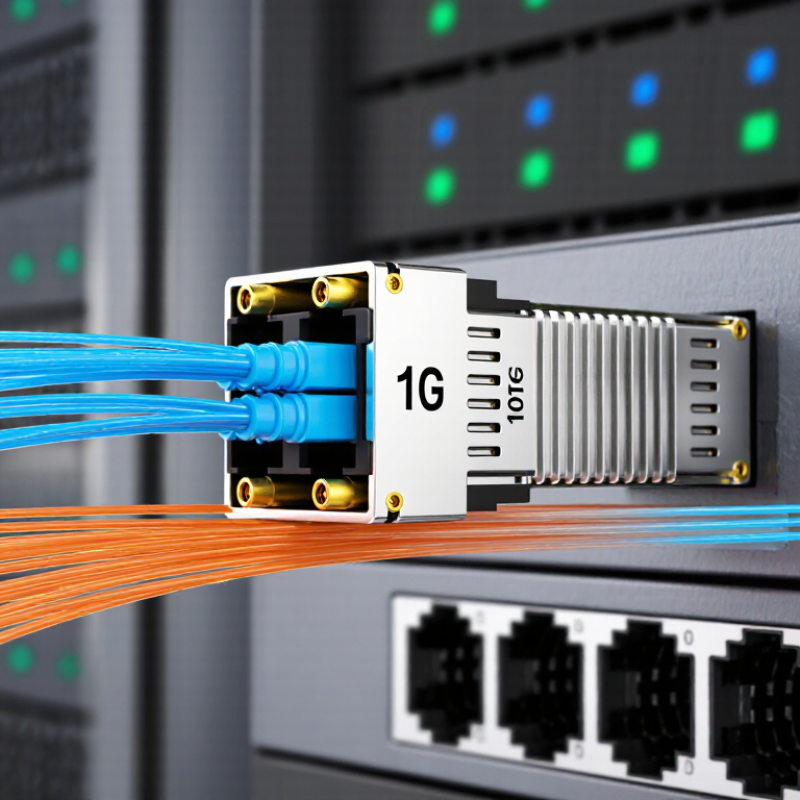
A 10G SFP+ transceiver is a compact module that sends and receives data over fiber or compatible copper cabling. It fits into an SFP+ port on a switch, server, or network interface card. The module converts electrical signals into optical signals, or the reverse, allowing equipment to communicate at speeds up to 10 gigabits per second. Its small size also makes individual links easier to replace or adapt as a network changes.
In practical use, 10G SFP+ links can connect servers to switches, or link network cabinets across a building. Fiber is often useful over longer runs or where electrical interference is a concern. Copper options can suit short connections, but distance and cable compatibility still matter. A higher link speed does not automatically fix congestion; the ports, cabling, and traffic patterns must all support the upgrade. It is easy to overlook that last detail.
A 10G SFP+ connection starts with an electrical signal from the network device’s port. The transceiver conditions this signal and, in an optical module, drives a laser that encodes the data as rapid light changes. On the other end, a photodetector turns incoming light back into an electrical signal. The receiving device then processes the recovered data. Simple in principle.
For common 10GBASE-R links, the host sends a serial stream at about 10.3 gigabits per second, including encoding overhead. The optical signal travels through fiber, where wavelength, fiber type, and connector condition affect reach and reliability. A dusty connector can cause errors or bring a link down. Small details matter.
The module does not make every link identical. Multimode optics often suit shorter runs inside a building, while single-mode optics can support longer distances with compatible equipment. Copper SFP+ options carry electrical signals over short distances instead of converting them to light. Check the module type, supported standard, and cable before connecting devices. A mismatch may leave the port dark. Even a correct pairing can need careful cleaning and inspection; specifications do not reveal every real-world issue.
A 10G SFP+ link can carry ten times the nominal line rate of a 1G connection, using a compact, hot-pluggable form factor. That makes it useful for server uplinks, switch interconnects, and storage traffic where rack space is limited. The Ethernet Alliance’s 2024 Ethernet Roadmap includes 10GbE alongside newer Ethernet speeds, reflecting its continuing place in network designs. It is a practical middle step, not a cure for every bottleneck.
The medium can fit the link. For example, 10GBASE-SR optics support runs up to 300 metres over OM3 multimode fiber, or 400 metres over OM4, under the relevant specifications. Short rack links may instead use direct-attach copper cables. Fewer patch panels, less cable clutter. Actual results depend on the cable, connectors, and equipment at both ends.
A detail that is easy to miss: a 10G label does not guarantee compatibility. Check the switch’s supported module types, fiber grade, reach, and temperature limits before deployment. IEEE 802.3 defines Ethernet specifications, but device support still varies.
Measure real traffic after installation; protocol overhead means usable throughput is below the 10-Gbit/s line rate. And sometimes, the old link was not the problem.
A 10G SFP+ transceiver works only when the switch, module, and link type agree. Check that the switch has an SFP+ port and supports the module’s speed and interface. Some switches apply compatibility checks, so confirm the device documentation and firmware requirements before ordering. Small details matter. A module designed for multimode fiber, for example, is not a substitute for one intended for single-mode fiber.
Match the transceiver to the cable and the distance between devices. Short links inside a rack may use a direct-attach copper cable, while longer runs may need optical modules and fiber. For 10GBASE-SR, check that the fiber type, wavelength, and connectors match at both ends; for 10GBASE-LR, verify the single-mode fiber and reach requirements.
Check both ends. Mixing different module types can leave a link down, even when each part looks suitable on its own. A cautious compatibility check is worth the extra time: confirm the switch, module, cable, and network standard as one complete link, then test for a stable connection under normal traffic. Sometimes the specification sheet is unclear; contact technical support rather than guessing.
Why Choose a 10G SFP+ Transceiver for Your Network?
When selecting a 10G SFP+ transceiver, start with the link itself. Check whether the switch or router supports the module type and required interface. A physical fit does not guarantee compatibility. Confirm the device documentation before ordering.
Match the transceiver to the cable and distance. Multimode fiber often suits shorter links inside a building, while single-mode fiber can serve longer runs. Compare the module’s wavelength with the fiber path, and check connector type at both ends. Small details matter. A mismatch can leave a link dark or unstable. For a 300-meter run, for example, verify that the optic’s specified reach covers the actual route, including patch panels.
Consider operating temperature, power draw, and digital diagnostics monitoring if the equipment will run in a warm or hard-to-reach rack. Diagnostics can help identify rising temperatures or optical levels outside expected ranges. Still, readings are not a substitute for testing the full link. Check transmit and receive levels after installation, and keep a record of the results. It is easy to overlook one patch cord. That can make troubleshooting slower than expected. Choose based on the real port, cable plant, and environment—not just the advertised data rate.
Typical maximum link distance varies by Ethernet standard and fiber type.
Choose a transceiver that matches your required reach and installed cabling. 10GBASE-SR supports up to 300 m over OM3 multimode fiber or 400 m over OM4; 10GBASE-LR supports up to 10 km over single-mode fiber; and 10GBASE-ER supports up to 40 km over single-mode fiber. Actual reach depends on the link and cabling conditions.
It sends and receives data through compatible fiber or copper cabling. It fits an SFP+ port and supports speeds up to 10 gigabits per second.
It converts electrical signals into rapid changes in light. A receiver detects the light and converts it back into an electrical signal. Simple in principle.
Fiber can suit longer runs or areas with electrical interference. Copper can work for short connections when the cable and ports are compatible.
Match the module type, wavelength, supported distance, cable, and both devices. Connector cleanliness matters too. Dust can cause errors.
Multimode optics commonly suit shorter building links. Single-mode optics can support longer distances with compatible equipment. The exact reach depends on the setup.
A mismatch in module, cable, wavelength, or standard can leave the port dark. Inspect and clean connectors before replacing parts.
Not by itself. Ports, cabling, and traffic patterns must support the upgrade. I still find this easy to overlook.
Yes. Crowded switches can run warmer than expected. Check airflow and the module’s operating limits.
A 10G SFP+ transceiver is a compact, hot-swappable module that enables high-speed data connections between network devices. It converts electrical signals into optical or electrical signals, depending on the module type, and carries data across fiber-optic or copper cabling. By supporting 10-gigabit links in a small form factor, it can help increase network capacity while making efficient use of switch and server ports.
Choosing the right module requires more than matching a data rate. Check that it is compatible with the equipment, cable type, connector, transmission distance, and relevant network standards. Consider the environment and link requirements as well, including fiber type, wavelength, power use, and operating temperature. Careful selection helps ensure reliable connections and makes it easier to build or upgrade a network that meets its performance needs.